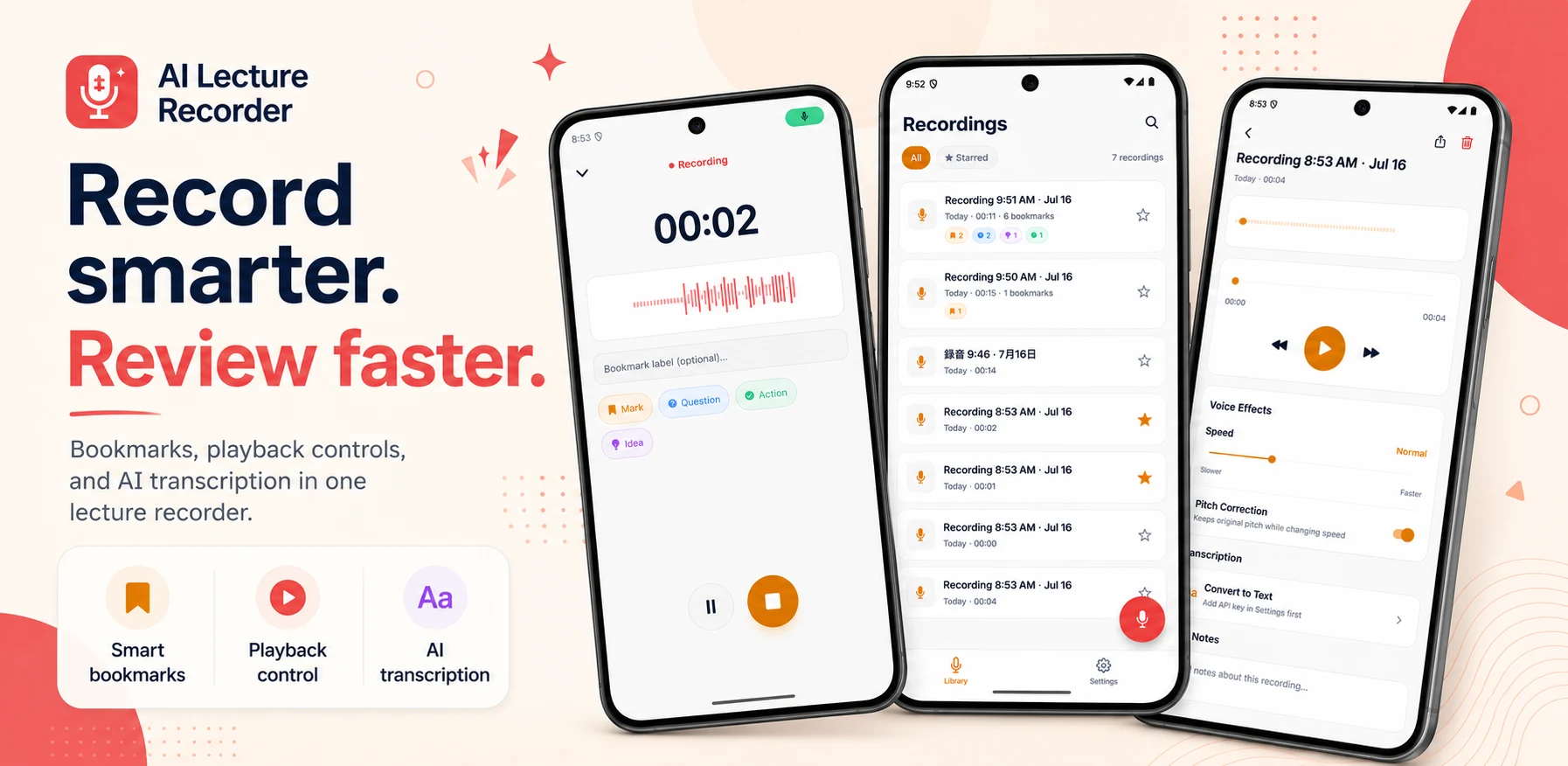
When we started AI Lecture Recorder, the obvious headline feature was transcription: record an hour, get an hour of text. Students told us they rarely read a full transcript. What they wanted was to find the five minutes that mattered. So we organised the product around three moments in a student's day.
Start recording fast
Open, tap record, put the phone on the desk. No setup screen in the way.
Mark what matters
One tap to bookmark the moment the lecturer says "this will be on the exam".
Find it again
Jump straight to bookmarks, and transcribe only when text actually helps.
Before: getting out of the way
Lectures start whether you are ready or not. The app opens straight to a record button, and recording works fully offline. Nothing about capture depends on a network or an account.
During: one tap beats a note
The biggest button on the recording screen, after stop, is bookmark. One tap marks the current moment. A label can be added later, but does not have to be. Marking something takes less effort than writing it down, so people actually do it.
The most advanced feature is not always the most useful one. Sometimes it is a single button that fits the moment.
After: review, not replay
Reviewing a lecture is different from listening to music. You skip, rewind a few seconds, slow down a dense part, speed through a tangent.
- RecordPhone on the desk, screen off
- Tap to bookmarkMark the moment, label it later
- Jump backPlayback starts just before the mark
- TranscribeOptional, when text helps
- Playback starts slightly before each bookmark so you hear the lead-in.
- Skip buttons are sized for the short jumps people make most.
- Speed control is one tap, not buried in a menu.
Where transcription fits
Transcription is still there, powered by Groq, for when text genuinely helps: searching for a term, copying a definition into notes, or reviewing in a quiet library without headphones.
| You want to… | Best tool |
|---|---|
| Find the exam hint | Bookmarks |
| Re-hear an explanation | Bookmarks + playback speed |
| Search for a term | Transcript |
| Copy a definition into notes | Transcript |